
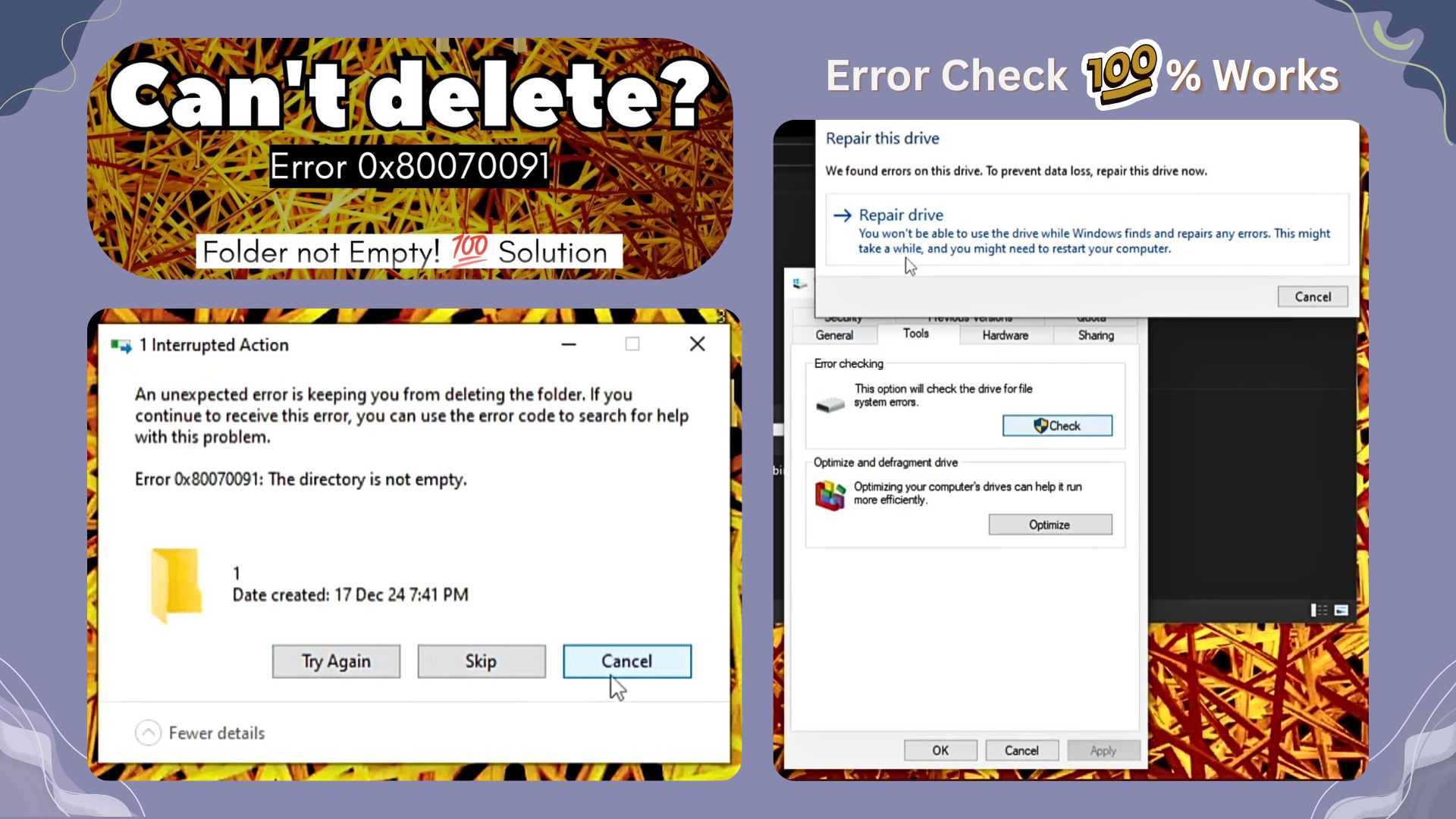
How to delete Undeletable Folders in Windows (FIX Error 0x80070091)

If you’ve ever tried to delete a folder in Windows and were greeted by the error message:

“Error 0x80070091: The directory is not empty”

…you know how frustrating it can be. This issue is common, especially with backup folders, external drives, or the Windows.old folder after an OS update. The good news? You can fix it — and this guide shows you how.

🎥 Watch the Video Tutorial

For a step-by-step walkthrough, watch the full video:
https://youtu.be/1khJnp4WY18

What Causes the Error 0x80070091?

This error usually occurs because:

  • The folder is corrupted or partially deleted
  • A background process is locking it
  • You don’t have proper permissions
  • The file system has inconsistencies

The folder may appear empty, but something in the background is keeping it from being deleted.

✅ Methods to Fix the Issue

Here are a few proven methods to delete those stubborn folders.

1. Use Command Prompt (Admin)
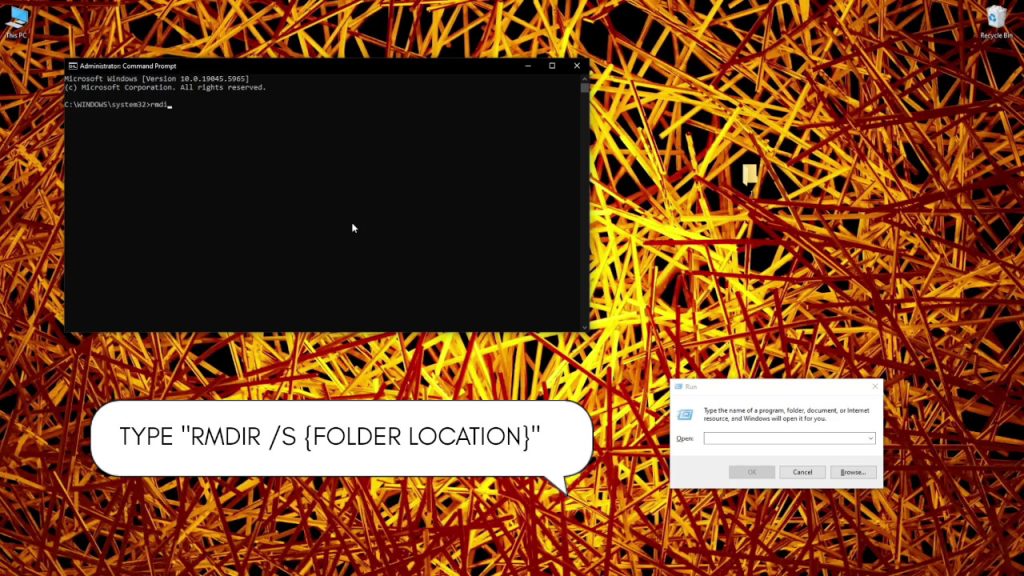
One of the quickest solutions is to use the Command Line:

Steps:

  1. Press Win + X and select Command Prompt (Admin) or Windows Terminal (Admin)
  2. Type the following command:
rmdir /s /q "C:\Path\To\Folder"
  • /s removes all subfolders and files
  • /q runs the operation quietly without confirmation prompts

Replace C:\Path\To\Folder with the actual path to the folder you’re trying to delete.

2. Take Ownership of the Folder
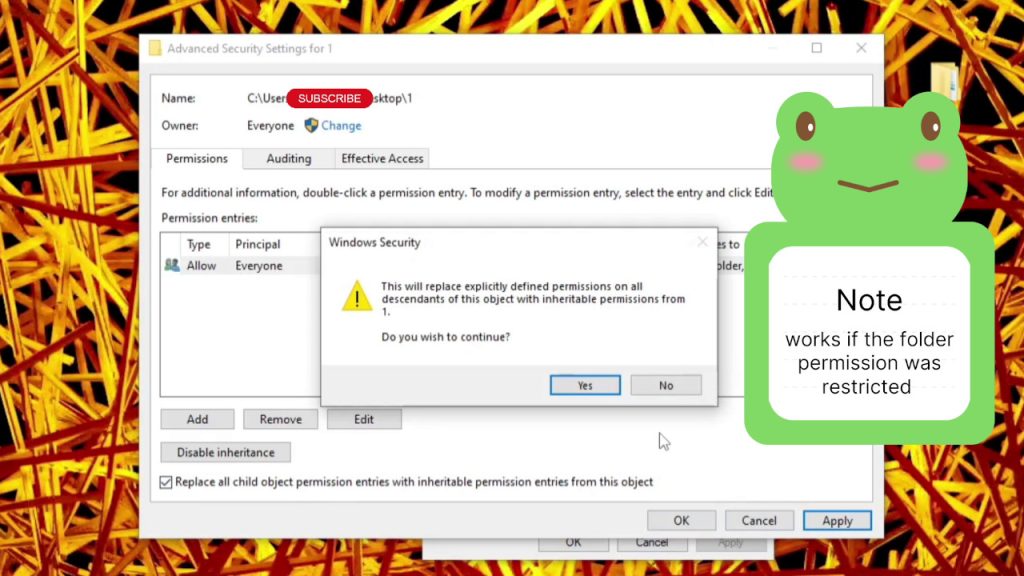
If you’re getting access denied errors, ownership might be the issue.

Steps:

  1. Right-click the folder > Properties
  2. Go to Security > Advanced
  3. Click Change next to the Owner field
  4. Enter your username and press OK
  5. Check Replace owner on subcontainers and objects
  6. Apply and exit, then try deleting the folder

3. Boot into Safe Mode
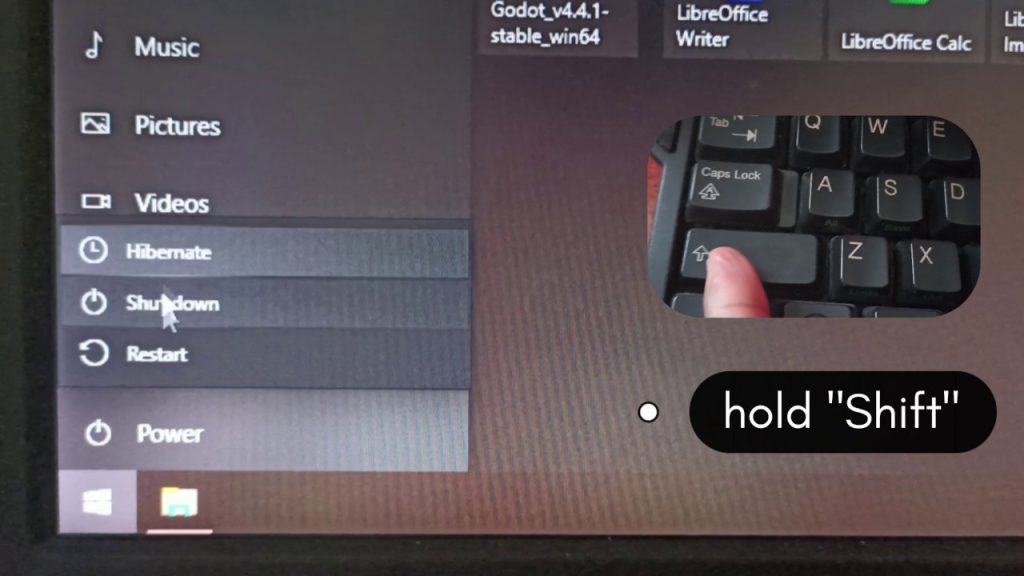
If a system process is locking the folder, Safe Mode can help.

Steps:

  1. Press and hold Shift, click on restart, and don’t release ‘Shift’ until you see “Choose an option”
  2. Press Troubleshoot
  3. Press Advanced options
  4. Press Startup Settings > Restart
  5. Pick Safe boot from the list

Alternative Steps:

  1. Press Win + R, type msconfig, and press Enter
  2. Go to the Boot tab and check Safe boot > Minimal
  3. Restart your PC
  4. Try deleting the folder again

After you’re done, go back to msconfig and uncheck Safe boot to return to normal mode.

4. Use PowerShell

PowerShell provides more control than CMD in some scenarios:

Remove-Item -Path "C:\Path\To\Folder" -Recurse -Force

5. Run CHKDSK
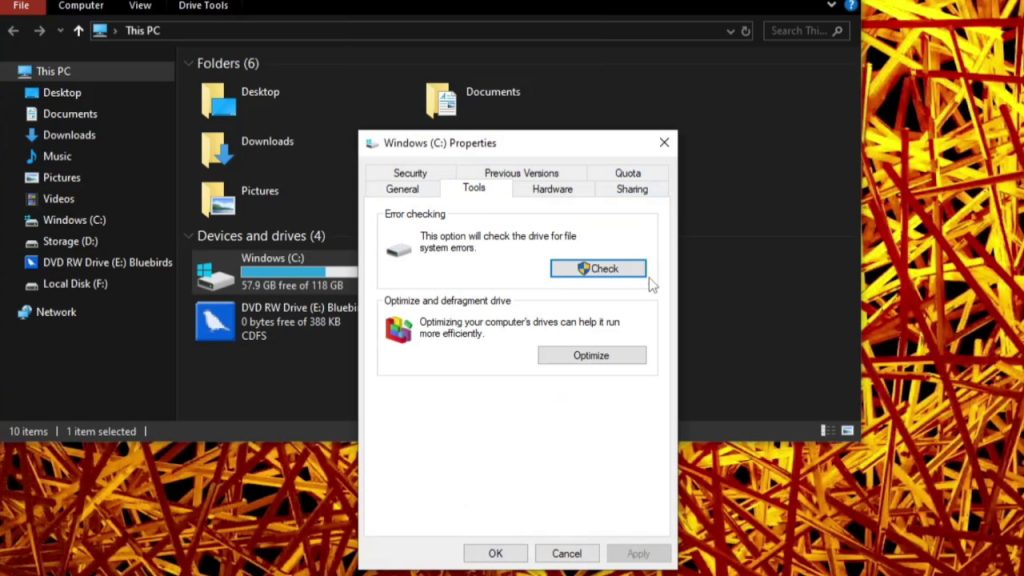
Corrupted file systems can prevent deletion. Use CHKDSK to fix errors.

Steps:

  1. Open Command Prompt as Admin
  2. Type:
chkdsk /f /r X:

Replace X: with the correct drive letter.

👀 Still Stuck?

If none of the above works:

  • Try renaming the folder and rebooting
  • Scan your system for malware

🤔 Final Tips

  • Always double-check folders before deletion
  • Backup important data before using force-delete commands
  • Be extra cautious when working with system or external drives

🎥 Watch the Video for Full Demonstration

Click below to watch the full tutorial and see these steps in action:
👉 https://youtu.be/1khJnp4WY18

If this guide helped you, please like the video, subscribe, and share it with someone who needs it!

#WindowsFix #Error0x80070091 #FolderNotDeleting #WindowsTips #TechHelp #CMD #AnzeniDesign

Comments

32 responses to “How to delete Undeletable Folders in Windows (FIX Error 0x80070091)”

  1. what is cialis prescribed for Avatar

    I appreciated how simple it was to navigate through the product details and understand the available choices. The reference to cialis 5 mg tablet helped me feel informed about the specific option I was considering. Everything worked reliably and left me satisfied with the experience.

  2. tadalafil krka Avatar

    These are truly enormous ideas in about blogging. You have touched some pleasant factors here. Any way keep up wrinting.

  3. casinobetzar Avatar

    Casinobetzar is where I like to try my luck sometimes. It has good games and the interface is simple and straightforward, like it a lot. Want to try? Visit casinobetzar.

  4. lolo365casino Avatar

    Lolo365casino is my go-to for some quick fun. Nothing special but I often win in some games, give it a try! Start winning with lolo365casino.

  5. ggbbbetlogin Avatar

    Need to log in to ggbbbet? This is the spot. Quick and easy access. Check out ggbbbetlogin.

  6. macrobid antibiotic for uti Avatar

    Wonderful blog! I found it while surfing around on Yahoo News. Do you have any tips on how to get listed in Yahoo News? I’ve been trying for a while but I never seem to get there! Thank you

  7. normal dose of fluconazole Avatar

    I am sure this piece of writing has touched all the internet people, its really really fastidious paragraph on building up new weblog.

  8. doxycycline pill Avatar

    I’ll right away take hold of your rss feed as I can not find your e-mail subscription link or newsletter service. Do you have any? Please permit me realize in order that I could subscribe. Thanks.

  9. how good is zoloft Avatar

    magnificent put up, very informative. I ponder why the other experts of this sector do not notice this. You should continue your writing. I’m confident, you have a huge readers’ base already!

  10. clozapine dosing pediatric Avatar

    I love it when people come together and share ideas. Great blog, keep it up!

  11. 50JILI Avatar

    50JILI: Best Online Casino Philippines. Easy 50JILI Login, Register, App Download & Premium Slots. Experience the best at 50JILI Online Casino Philippines! Enjoy seamless 50JILI Login, fast 50JILI Register, and easy 50JILI App Download for premium 50JILI Slots. visit: 50JILI

  12. stromectol online pharmacy reviews Avatar

    I am sure this article has touched all the internet users, its really really fastidious post on building up new blog.

  13. zoloft for sale Avatar

    I really like it when people get together and share opinions. Great site, keep it up!

  14. sildenafil story Avatar

    My partner and I stumbled over here by a different web address and thought I should check things out. I like what I see so now i’m following you. Look forward to checking out your web page yet again.

  15. fluconazole for oral thrush Avatar

    I will immediately clutch your rss as I can not find your e-mail subscription hyperlink or e-newsletter service. Do you’ve any? Please permit me realize so that I may just subscribe. Thanks.

  16. metoclopramide iv push time Avatar

    Everyone loves what you guys are up too. This kind of clever work and reporting! Keep up the amazing works guys I’ve added you guys to my own blogroll.

  17. generic form of prilosec Avatar

    I am sure this article has touched all the internet people, its really really good article on building up new web site.

  18. protonix 40 mg otc Avatar

    Amazing! This blog looks exactly like my old one! It’s on a completely different topic but it has pretty much the same layout and design. Wonderful choice of colors!

Leave a Reply to w19 Cancel reply

Your email address will not be published. Required fields are marked *