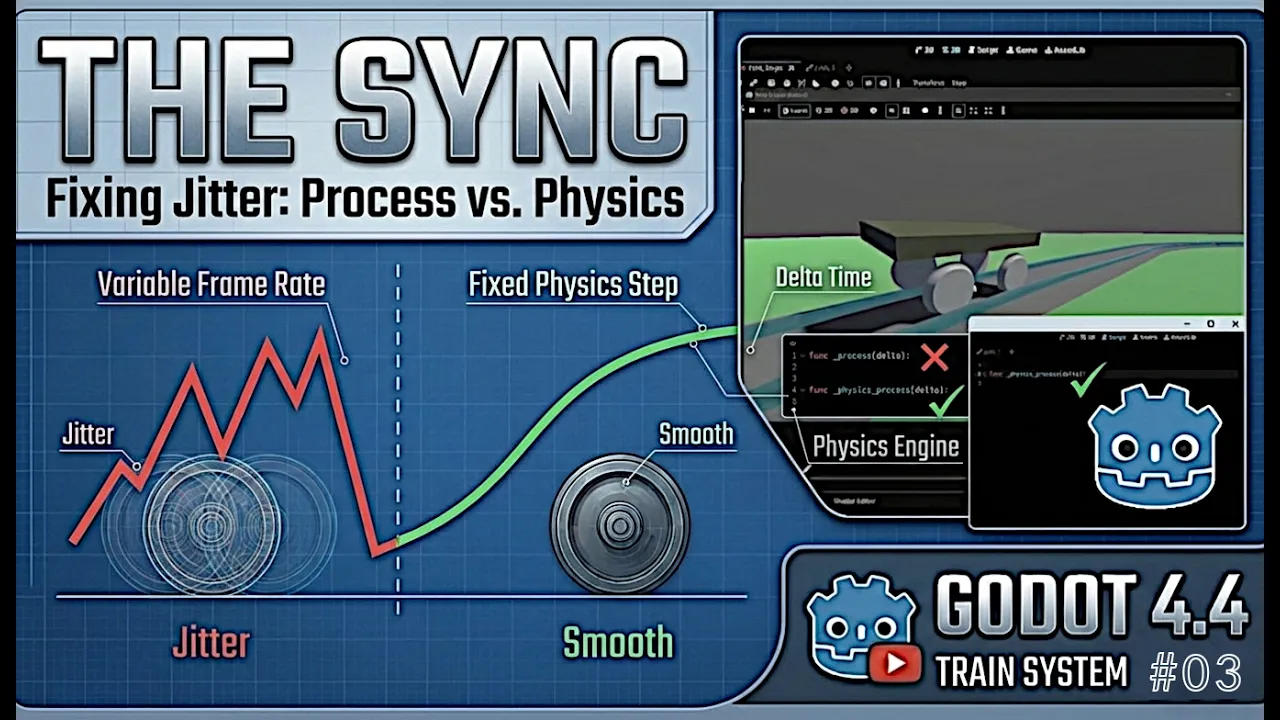
Building complex vehicle systems using splines and physics engines often yields smooth results—until an unexpected edge case unravels your scene. A spline-based train system can run flawlessly through initial curves, only to crash unexpectedly or experience severe visual desynchronization after a few loops.
In part three of our modular train series, we break down a critical bug encounter in Godot 4.4, uncover why vector normalizations fail, and fix the entire issue by changing just one key line of code.
🛑 The Symptom: Desync, Twisting, and Vector Errors
Everything appears stable during basic pathing tests. However, as the double-bogie train completes continuous track loops, unexpected behaviors start compounding:
- Bogie Desynchronization: The front and rear bogies gradually drift out of sync, destroying the fixed distance constraint required for the coach body.
- Coach Twisting: The vehicle car body distorts or flips off its expected yaw/pitch axes when navigating continuous curves.
- Console Crash: Godot throws a recurring physics error:
"The axis Vector3 (0, 0, 0) must be normalized."
🔍 The Root Cause: Process vs. Physics Process
The issue lies neither in the spline geometry, the mathematical orientation formulas, nor the transform calculation. Instead, it comes down to execution timing between engine update loops.
_process(delta): Fires once per visual frame, driven by display refresh rates (variable delta)._physics_process(delta): Fires at fixed internal clock intervals matching the physics engine’s tick rate.
When spatial transforms of physics-driven bodies (VehicleBody3D or nodes interacting with rigid constraints) are updated inside _process(), spatial states update out of sync with physics state calculations. Over multiple loop iterations, the transform calculation for direction vectors evaluates to zero (Vector3(0, 0, 0)), causing Basis look-at logic to fail when attempting normalization.
🛠️ The Fix: Correcting the Frame Loop Execution
Resolving this issue requires shifting spatial updates out of frame render calls and anchoring them directly into the deterministic physics step.
GDScript
# ❌ Before: Updating physics transforms inside the frame process loop
func _process(delta: float) -> void:
    update_bogie_positions_and_coach_transform(delta)

# ✅ After: Executing transform updates inside the fixed physics step
func _physics_process(delta: float) -> void:
    update_bogie_positions_and_coach_transform(delta)
By changing _process to _physics_process, positional updates for PathFollow3D and dependent vehicle bodies align deterministically with the engine’s internal physics tick rate.
💡 Key Takeaways for Vehicle Engineering in Godot
- Keep Physics in
_physics_process(): Any node modifying transform vectors, rigid constraints, or vehicle velocity must perform calculations inside the fixed physics step. - Handle Zero-Length Vectors: Always guard vector normalizations using
is_zero_approx()or standard checks before passing vectors to orientation functions likeBasis.looking_at(). - Decouple Visual Rendering from Logic: Frame rates fluctuate based on hardware performance, whereas physics steps remain consistent across environments.
Godot Train Bug FIXED by Changing ONE Line of Code video tutorial
Check out the full diagnostic breakdown above to see live error stack traces and the step-by-step code correction.